Introduction
A great portrait has always been one of the most powerful forms of visual art. From painted masterpieces hanging in museums to professional headshots on LinkedIn profiles portraits capture identity, personality, and emotion in a way that no other type of image can.
Thank you for reading this post, don't forget to subscribe!But getting a truly great portrait has always been expensive and time-consuming. Hiring a professional photographer costs hundreds of dollars. Commissioning a painted portrait can cost thousands. Even a basic studio headshot session requires scheduling, travel, wardrobe preparation, and significant money.
In 2026, AI portrait generators have completely eliminated every one of those barriers.
Today, anyone in the United States can generate a stunning, professional-quality portrait in seconds completely free. No photographer needed. No studio booking. No expensive equipment. No sitting for hours while an artist paints. Just a text description or an uploaded photo, and an AI that transforms your input into a beautiful, realistic portrait that looks like it was created by a professional.
The applications are genuinely vast. LinkedIn profile pictures. Author headshots for book covers. Professional avatars for business websites. Fantasy character portraits for gaming profiles. Artistic renditions of family members as gifts. Dating profile photos with a polished, professional look. Social media profile pictures that stand out from the crowd.
But not all AI portrait generators are created equal. Some produce stunning, photorealistic results. Others generate images that look obviously artificial with distorted faces, wrong hand proportions, and unnatural skin textures. Some are completely free with no limits. Others lock their best features behind expensive subscriptions.
This guide cuts through all the noise. We tested and evaluated every major free AI portrait generator available to USA users in 2026 looking at facial accuracy, skin texture realism, style variety, ease of use, and overall portrait quality. Whether you need a professional headshot, an artistic portrait, or a fantasy character image this guide will show you exactly which free tool to use.
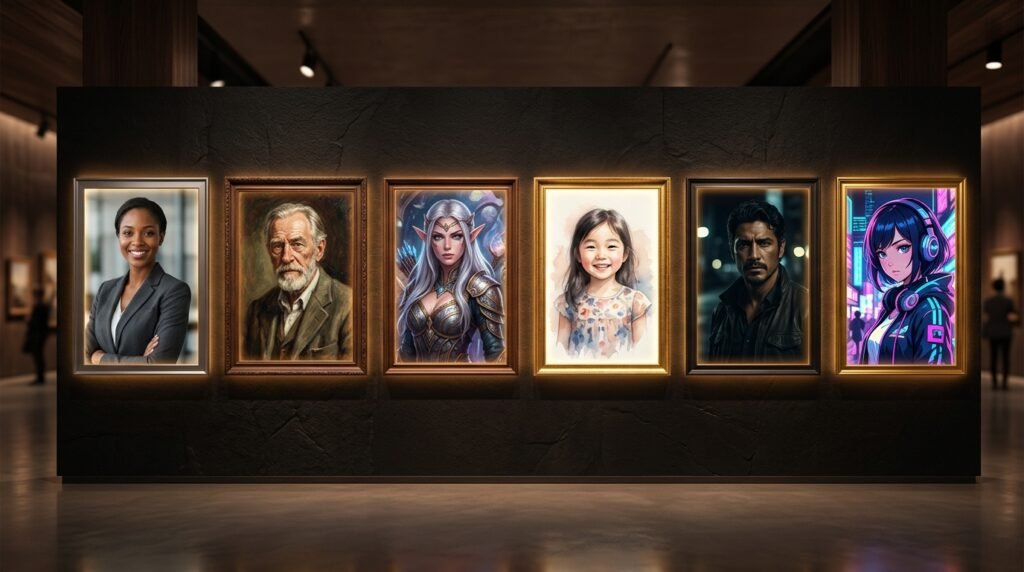
Section 1 What Makes a Great AI Portrait Generator?
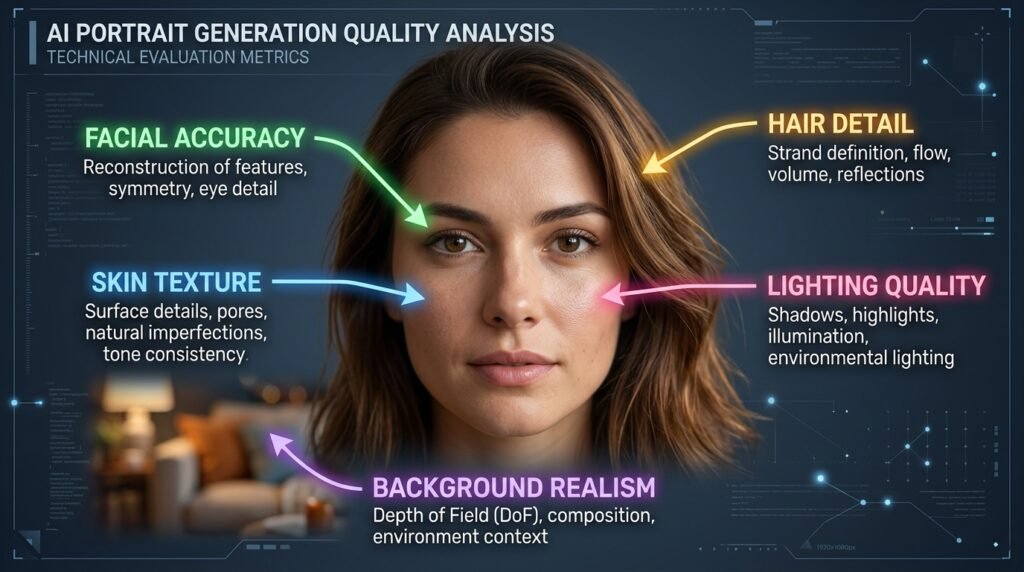
The Technical Challenges of Portrait Generation
Generating portraits is technically harder than generating landscapes, abstract art, or product images. The human brain is extraordinarily sensitive to faces we have evolved to detect even the most subtle abnormalities in human appearance, which is why slightly wrong facial proportions, unnatural eye spacing, or artificial skin texture instantly feels “off” even when viewers cannot precisely identify what is wrong.
This sensitivity means that AI portrait generators face a much higher quality bar than other image generators. An AI landscape can be slightly inaccurate and still look beautiful. An AI portrait that gets the eyes slightly wrong looks unsettling rather than impressive.
The best AI portrait generators in 2026 have largely solved these challenges through several technical approaches. They use specialized face generation models trained specifically on portrait imagery rather than general-purpose models. They apply facial coherence algorithms that ensure consistent proportions across different angles and expressions. And they use high-resolution upscaling specifically optimized for skin texture, hair detail, and eye clarity.
What to Look for When Choosing a Free AI Portrait Generator
Understanding these evaluation criteria will help you choose the right tool for your specific portrait needs.
Facial Accuracy is the most fundamental quality measure. Does the generated face look like a real, coherent human being with natural proportions, correct eye spacing, realistic nose structure, and natural mouth shape? This is where the most significant quality differences between tools appear.
Skin Texture Quality separates professional-grade portrait generators from amateur tools. Real human skin has subtle texture pores, slight variations in tone, natural light reflection. AI-generated portraits that produce perfectly smooth, plastic-looking skin immediately signal artificial generation to any viewer.
Hair Detail and Realism is another area where portrait generators vary dramatically. Natural hair has complexity individual strands, subtle color variations, realistic movement and physics. AI portrait tools that generate hair as a uniform block of color without detail look obviously artificial.
Style Versatility matters because different portrait needs require different aesthetics. A LinkedIn professional headshot requires photorealism. A fantasy character portrait requires artistic styling. A personalized gift portrait might look best as an oil painting. The best free tools offer multiple style options rather than locking you into a single aesthetic.
Privacy and Data Handling is a critical consideration specific to portrait generation. When you upload a photo of your face to an AI generator, you are sharing biometric data one of the most sensitive categories of personal information. Understanding how each platform handles, stores, and potentially uses your facial data is essential before uploading any real photos.
Prompt Fidelity determines how accurately the generated portrait matches what you described. If you ask for a portrait of a middle-aged South Asian woman with dark hair and glasses in a professional setting, does the AI actually produce that or does it default to generic results that ignore your specific instructions?
Section 2 Top Free AI Portrait Generators in 2026
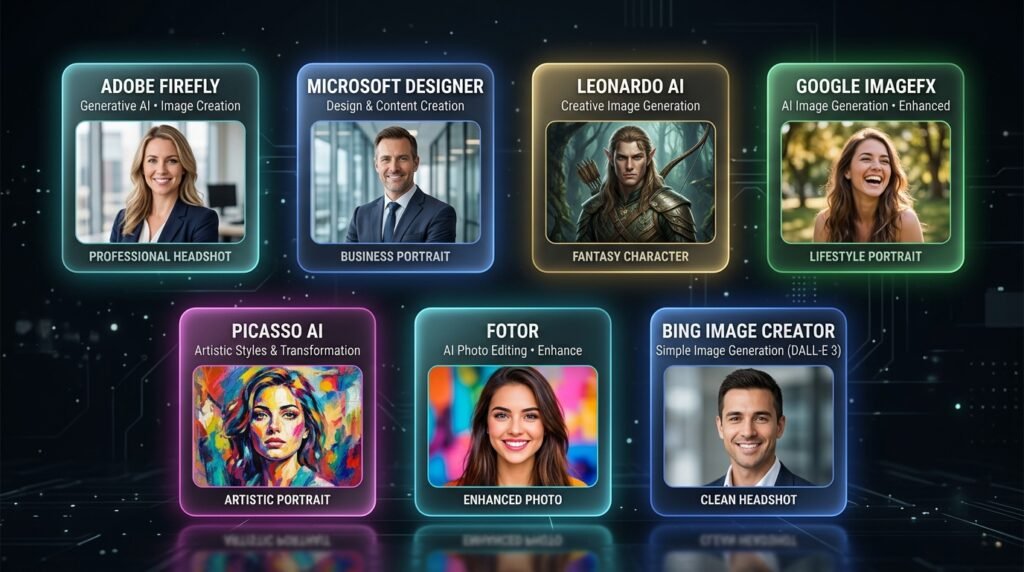
① Adobe Firefly Best for Professional Headshots
Adobe Firefly at firefly.adobe.com has become the go-to tool for professional AI portrait generation in 2026 and for very good reason. The image quality for photorealistic human portraits is consistently outstanding, with natural skin texture, realistic hair detail, and facial proportions that look genuinely photographed rather than generated.
What makes Firefly particularly valuable for portrait generation is its emphasis on diversity and natural representation. The tool generates portraits of people across a wide range of ethnicities, ages, and physical characteristics with equal quality and realism something that many competitors still struggle with, often producing better results for certain demographic groups than others.
The free plan gives twenty-five monthly credits. For portrait generation specifically, this means approximately twenty-five professional-quality portrait images per month at no cost. Each generated portrait is also commercially safe important for anyone using AI portraits for business profiles, book covers, or any professional application.
The interface is clean and browser-based no downloads, no installations, just open the website with a free Adobe account and start generating immediately.
② Microsoft Designer (DALL·E 3) Best Free Tool with No Limits
Microsoft Designer powered by DALL·E 3 delivers exceptional portrait quality completely free with a Microsoft account. The DALL·E 3 model underlying Microsoft Designer is one of the most accurate portrait generators available it follows text descriptions with impressive fidelity, generating portraits that match your specified age, ethnicity, expression, setting, and style with consistency that competing free tools often cannot match.
The generous daily generation limit significantly more than Adobe Firefly’s monthly allowance makes Microsoft Designer the best choice for users who need to generate many portrait variations to find the perfect result. Testing ten or fifteen different prompt variations to get exactly the right headshot is practical and free.
Microsoft Designer also includes design templates, allowing you to place your generated portrait directly into a LinkedIn banner, business card design, or social media profile frame without switching to a separate design tool.
③ Leonardo AI Best for Artistic Portrait Styles
Leonardo AI at leonardo.ai is the portrait generator of choice for users who want artistic interpretation rather than strict photorealism. Its library of specialized models includes several specifically trained for portrait generation each producing a distinctively different aesthetic that ranges from ultra-photorealistic to painterly oil portrait to digital illustration to fantasy character art.
The Leonardo Portrait model produces photorealistic portraits with a cinematic quality similar to a Hollywood production still rather than a straightforward photograph. The faces have a polished, dramatic quality with sophisticated lighting that makes generated portraits look genuinely impressive.
For creative applications fantasy character portraits, historical era portraits, stylized artistic renditions Leonardo’s model variety is unmatched among free tools. The ability to switch between models means one platform serves both realistic professional portrait needs and creative artistic portrait applications.
The free plan provides approximately one hundred fifty daily tokens easily enough for thirty to fifty portrait images per day, making it the most generous free option for high-volume portrait generation.
④ Google ImageFX Best for Photorealistic Portrait Quality
Google ImageFX powered by Imagen 3 produces some of the most photorealistic AI portrait images available on any free platform. The facial detail, skin texture, hair realism, and natural lighting in ImageFX portraits genuinely rival professional photography in quality and it is completely free with a Google account.
The tool is particularly strong for generating portraits of people in natural, candid-feeling situations someone reading at a coffee shop, a professional in an office environment, a person enjoying outdoor activities. These lifestyle portrait contexts look exceptionally natural in ImageFX compared to competitors who excel at studio-style formal portraits.
The interface is refreshingly simple just type your description and generate. There are no complicated settings or model selections to navigate, making ImageFX the most accessible high-quality portrait generator for users who want excellent results without any learning curve.
⑤ Picasso AI Best for Instant Photo-to-Portrait Transformation
Picasso AI specializes in transforming uploaded photographs into artistic portrait styles turning a regular phone photo into an oil painting portrait, a watercolor rendering, a pencil sketch, or a professional headshot style image. For users who want to transform existing photos rather than generate portraits from scratch, Picasso AI provides the most accessible free experience.
The style transfer quality is impressive particularly for artistic transformations like oil painting and watercolor that would traditionally require commissioning a professional artist. The free plan allows a limited number of transformations per day, which is sufficient for personal use and occasional creative projects.
⑥ Fotor AI Portrait Generator Best for Enhancing Real Photos
Fotor is primarily a photo editing platform that has added powerful AI portrait generation and enhancement features. Beyond generating new portraits from text prompts, Fotor’s AI can transform existing photos into artistic styles, enhance photo quality, remove blemishes, adjust lighting, and create professional-looking headshots from casual phone pictures.
The combination of AI generation and AI photo enhancement in one platform makes Fotor particularly useful for users who want to improve their existing photos as well as generate new portrait styles. The free plan is generous enough for regular personal use.
⑦ Bing Image Creator Best Zero-Setup Portrait Generator
Bing Image Creator at bing.com/create powered by DALL·E 3 offers the same underlying technology as Microsoft Designer with even simpler access just go to the website, type your portrait description, and generate. No template selection, no design features, just pure portrait generation with excellent quality and no setup required beyond a free Microsoft account.
For users who need quick portrait generation without any design workflow just the raw generated portrait image Bing Image Creator is the fastest, most frictionless option available among all high-quality free tools.
Section 3 How to Write Perfect Portrait Prompts
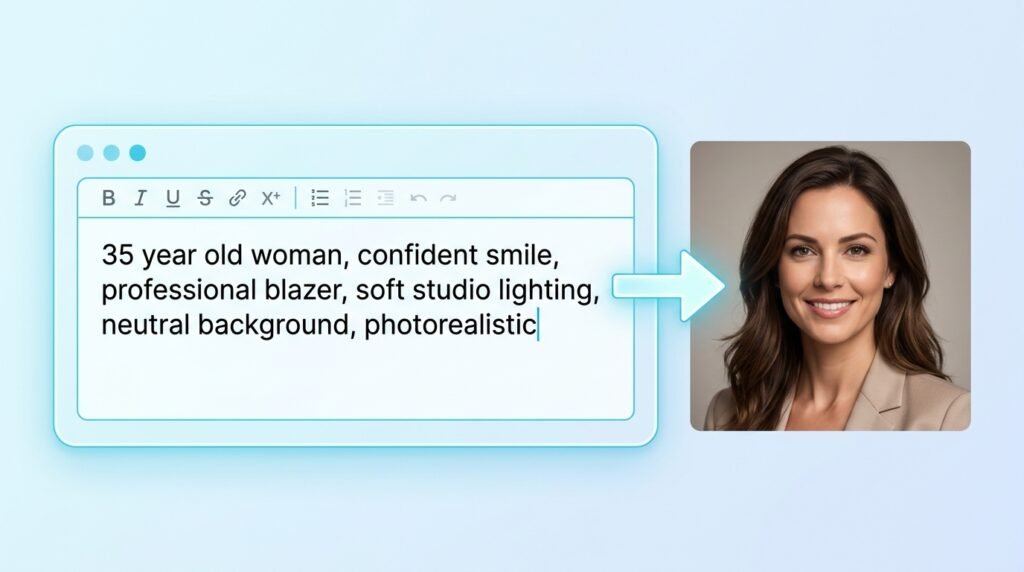
Getting exceptional AI portrait results depends more on prompt quality than on which tool you use. Here is a complete system for writing portrait prompts that consistently produce stunning results.
The Portrait Prompt Architecture
Every great AI portrait prompt is built from seven specific elements. Understanding each element and how to describe it gives you precise control over your generated portrait.
Element One Subject Description
Start with a clear, specific description of the person being portrayed. Include age range, ethnicity, gender presentation, and any distinctive physical characteristics that matter for your portrait.
Weak approach: “A woman” Strong approach: “A 35-year-old South Asian woman with dark wavy hair, warm brown eyes, and a confident expression”
Element Two Expression and Emotion
The expression is what gives a portrait life and personality. Be specific about the emotional quality you want the portrait to convey.
Options to try: warm and approachable smile, confident and professional expression, contemplative and thoughtful gaze, joyful and natural laugh, serious and authoritative presence, soft and gentle warmth
Element Three Clothing and Styling
For professional portraits especially, clothing signals context and purpose immediately to any viewer.
Professional options: navy blue business blazer, classic white dress shirt, sophisticated dark suit, elegant professional attire Casual options: relaxed linen shirt, casual modern streetwear, cozy knit sweater Creative options: historically accurate Victorian dress, fantasy armor, artistic bohemian styling
Element Four Lighting Description
Lighting is what separates amateur-looking portraits from professional ones. Specific lighting descriptions dramatically improve portrait quality.
Professional lighting options: soft studio lighting with fill light, Rembrandt lighting with dramatic shadows, golden hour window light from the left, soft diffused natural daylight, professional three-point lighting setup
Element Five Background and Setting
The background contextualizes the portrait and contributes significantly to its professional quality.
Background options: clean neutral studio background in soft gray, blurred bokeh office environment, outdoor park setting with soft focus greenery, sophisticated library or study background, plain gradient background from dark to light
Element Six Portrait Style
Specify the overall aesthetic treatment of the portrait.
Style options: photorealistic professional headshot, cinematic portrait photography, classical oil painting portrait, soft watercolor illustration, digital art character portrait, vintage film photography aesthetic
Element Seven Technical Quality Boosters
End every prompt with quality specification terms that signal professional results.
Quality boosters: highly detailed, sharp focus, professional photography, 8K resolution, award-winning portrait, Canon 85mm portrait lens, shallow depth of field, studio quality
Complete Prompt Examples
Professional LinkedIn Headshot: “A 42-year-old Black American man with a warm confident smile, short neat hair, wearing a charcoal gray business blazer over a white shirt, soft professional studio lighting with clean neutral background, sharp focus, photorealistic professional headshot style, highly detailed, 8K resolution”
Artistic Oil Painting Portrait: “A young Japanese woman with long black hair and serene expression, wearing traditional silk garment, warm candlelight illumination from the right side, classical oil painting portrait style in the manner of Old Masters, rich textured brushwork, museum quality, highly detailed”
Fantasy Character Portrait: “A tall elven warrior woman with silver hair and amber eyes, wearing intricately detailed silver armor with blue gemstone accents, dramatic forest background with golden light filtering through ancient trees, cinematic fantasy illustration style, epic and powerful presence, highly detailed digital art”
Casual Lifestyle Portrait: “A 28-year-old Latina woman with curly brown hair laughing naturally, wearing a casual yellow linen shirt, sitting at a sunlit coffee shop window, natural bokeh background, candid lifestyle photography style, warm and joyful atmosphere, photorealistic, sharp focus”
Section 4 Best Use Cases for Free AI Portrait Generators
Professional Headshots and LinkedIn Profiles
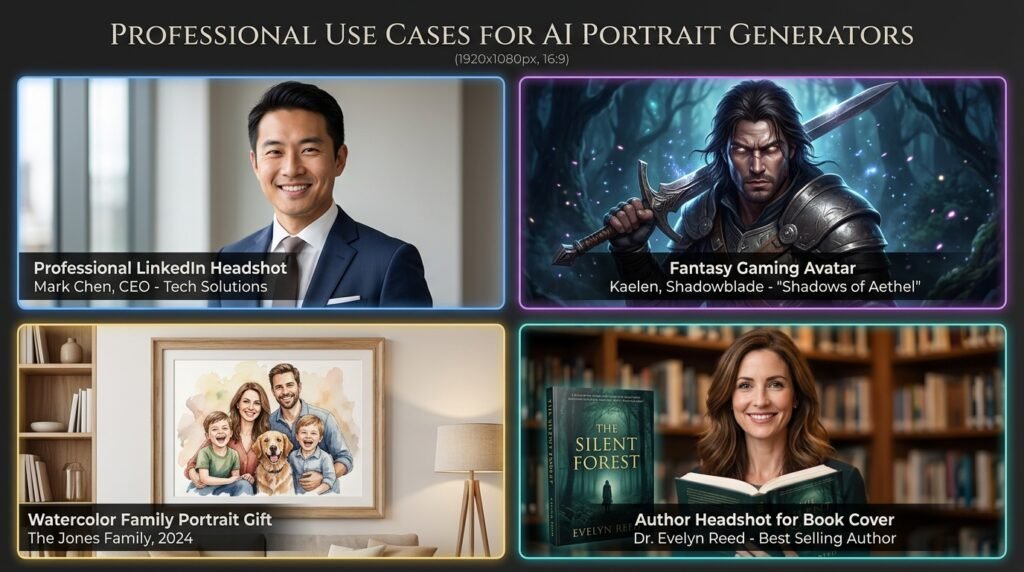
The professional headshot use case is the most practically valuable application for most Americans using AI portrait generators in 2026. A professional LinkedIn profile headshot taken by a photographer in a studio typically costs between one hundred fifty and four hundred dollars. AI portrait generators deliver comparable results for free in under a minute.
For job seekers, freelancers, consultants, small business owners, and any professional whose online presence matters for their career the ability to generate a polished, professional-looking headshot without the cost and inconvenience of a photography session is genuinely transformative.
The best tools for this specific use case are Adobe Firefly and Microsoft Designer, both of which produce the most photorealistic, professionally appropriate portrait results. When generating professional headshots, always specify clean neutral backgrounds, professional attire, natural lighting, and confident professional expressions.
An important ethical note: presenting an AI-generated portrait as your actual photograph on professional platforms creates false impressions about your appearance. Many users choose to use AI portraits as avatars or to represent their brand identity rather than as personal photos, which is a more transparent and ethically straightforward application.
Book Cover Author Photos
Self-published authors on Amazon Kindle Direct Publishing, Smashwords, and other platforms need professional author photos for their book covers and author pages. AI portrait generators allow authors to create polished, professional author headshots that match the tone and genre of their books a thriller author might want a serious, dramatic portrait while a romance author might prefer warm and approachable.
Gaming and Social Media Avatars
Fantasy character portraits, sci-fi character images, anime-style avatars, and artistic stylized portraits are enormously popular as gaming profile pictures, Discord avatars, Twitch profile images, and social media profile pictures. Leonardo AI’s fantasy and artistic portrait models are particularly strong for this use case, generating character portraits with the kind of epic, detailed aesthetic that gamers and creative communities value.
Personalized Art Gifts
AI portrait generators make it possible to create personalized portrait art gifts someone’s grandmother rendered as a classical oil painting, a couple’s portrait in watercolor style, a child’s portrait as a fantasy character that would traditionally require commissioning expensive custom artwork. These personalized portrait images can be printed professionally at home printing services for genuinely meaningful, visually impressive gifts.
Writers and Content Creators
Bloggers, newsletter writers, podcast hosts, and YouTube creators all benefit from having professional-looking profile images that establish credibility and visual identity with their audiences. AI portrait generators allow content creators to develop a polished visual identity without a photography budget.
Section 5 Pros and Cons of Free AI Portrait Generators
The Genuine Advantages
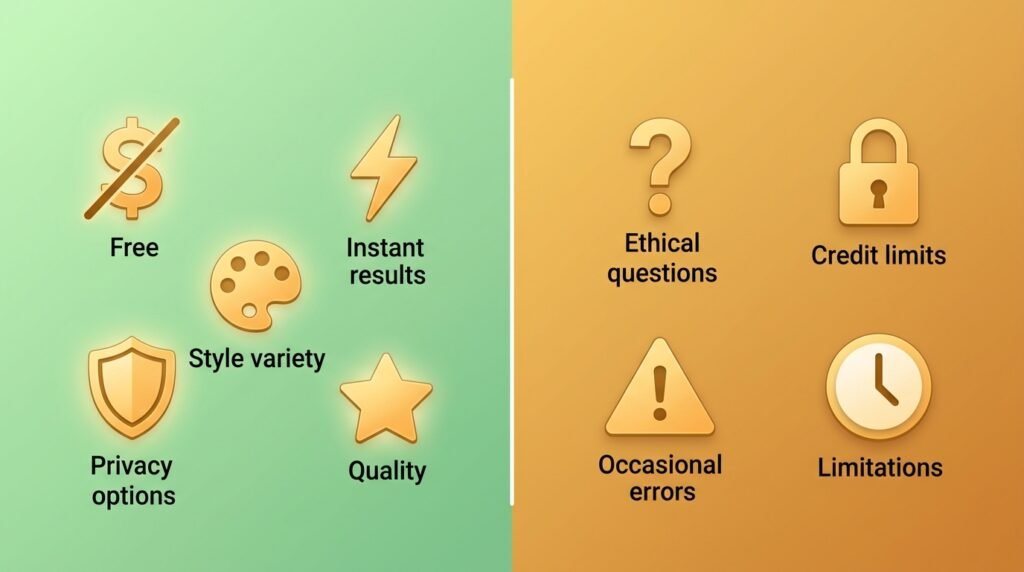
Zero Cost for Professional Quality is the headline benefit that makes AI portrait generators genuinely revolutionary. The gap between what a professional photographer charges for a headshot session and what AI portrait generators deliver for free has narrowed to the point where for many use cases, the free AI option is entirely sufficient.
Instant Results Without Scheduling eliminates one of the most frustrating aspects of professional portrait photography. There is no booking lead time of days or weeks. No travel to a studio. No waiting for the photographer to deliver edited files. You describe what you want and have results in thirty seconds.
Unlimited Style Experimentation is something no photography session can offer. With AI portrait generators, you can try your subject in dozens of different styles photorealistic headshot, oil painting, watercolor, pencil sketch, fantasy character, vintage film aesthetic in an afternoon. A photographer session locks you into one style, one setting, and one day’s lighting conditions.
Diversity and Representation have improved dramatically in the best free AI portrait generators. Tools like Adobe Firefly and Google ImageFX generate portraits of people across all ethnicities, ages, body types, and physical characteristics with consistent quality an important consideration for businesses creating representative visual content.
Creative Freedom Beyond Photography allows AI portrait generators to create images that no photographer could capture historical era portraits, fantasy characters, mythological figures, and artistically reimagined versions of real people that no camera or artist’s brush could produce economically.
Privacy Option for Public Profiles gives some users the ability to maintain a public professional presence without using their actual photograph which can be a genuine privacy benefit for people in sensitive professions, those who prefer to separate their professional and personal identities online, or those who simply feel uncomfortable having their real photo publicly indexed on the internet.
The Honest Limitations
Ethical Transparency Questions are the most important limitation to acknowledge directly. Using an AI-generated portrait as your profile photo on professional platforms without disclosure creates a false impression about your appearance. This is an ethical consideration that each user needs to think through honestly for their specific use case.
Free Plan Credit Limits restrict how many portraits you can generate per month on the best tools. Adobe Firefly’s twenty-five monthly credits disappear quickly when you are trying multiple prompt variations to find the perfect portrait. Leonardo AI’s generous daily allowance is the best solution to this limitation among free tools.
Hands and Fingers Still Cause Problems occasionally even in 2026. While facial generation has dramatically improved, full-body portraits that include hands remain an area where AI generators sometimes produce subtle errors extra fingers, unnatural finger proportions, or awkward hand positioning. For headshot and bust-length portraits, this is not an issue. For full-body portraits, always review hands carefully.
Consistent Identity Across Multiple Images is still a challenge. If you generate a portrait of a specific fictional character or need multiple images of the “same” AI-generated person in different settings, maintaining perfectly consistent facial features across all images is difficult without paid tools that offer character consistency features.
Platform Terms Restrict Certain Uses in ways that free users need to understand. Generating realistic portraits of real named individuals, creating portraits designed to mislead or deceive, and some commercial applications are restricted on most platforms regardless of technical capability.
Privacy Risks of Photo Upload apply specifically to tools that require you to upload a real photograph for transformation. When you upload your face to any online service, you are sharing biometric data. Always read the privacy policy before uploading real photos specifically looking for how long they store uploaded images and whether they use them for AI training.
Conclusion
Free AI portrait generators in 2026 have reached a quality level that genuinely rivals professional photography for many common use cases. The technology has matured to the point where the best free tools Adobe Firefly, Microsoft Designer, Leonardo AI, and Google ImageFX produce portraits with natural facial proportions, realistic skin texture, detailed hair rendering, and professional lighting quality that would have required a dedicated photography studio just three years ago.
For most Americans looking for a professional-quality portrait without the cost and inconvenience of a photography session, the answer is straightforward. Start with Adobe Firefly for the highest-quality photorealistic professional headshots with commercial use rights. Use Microsoft Designer when you need to generate many variations to find the perfect result without worrying about credit limits. Turn to Leonardo AI when you want artistic styles, fantasy character portraits, or a distinctive cinematic aesthetic. And use Google ImageFX when lifestyle realism and natural candid quality are your priority.
The most important skill in using these tools effectively is prompt writing. A specific, detailed, well-structured prompt describing your subject, expression, clothing, lighting, background, and style will produce dramatically better results than a vague general description. Spend time learning the prompt elements covered in this guide and your portrait quality will improve immediately and consistently.
One final thought on the ethical dimension of AI portrait use. The technology is genuinely powerful powerful enough to generate portraits indistinguishable from professional photography. Using that power responsibly means being transparent about AI-generated portraits when transparency matters, using the technology to enhance and express identity rather than to misrepresent it, and respecting both the privacy of real people and the creative work of human artists who have contributed to the visual culture these AI models learned from.
Used thoughtfully, free AI portrait generators are extraordinary tools that democratize access to professional-quality visual representation for every American regardless of their photography budget. The technology is here, it is excellent, and it is completely free to start using today.
Frequently Asked Questions
What is the best completely free AI portrait generator in 2026?
Microsoft Designer powered by DALL·E 3 is the best completely free AI portrait generator for most users it delivers top-tier photorealistic portrait quality with generous daily generation limits at absolutely zero cost. Adobe Firefly is the best free option specifically for commercial use portraits due to its explicit commercial licensing.
Can AI portrait generators create realistic photos of people who do not exist?
Yes this is one of the primary use cases. All the tools covered in this guide can generate photorealistic portraits of completely fictional people who have never existed. These are useful for stock photography concepts, book cover characters, website avatar images, and any situation where a realistic human portrait is needed without involving a real person.
Is it safe to upload my real photo to AI portrait generators?
It depends on the platform. Before uploading any real photo of yourself, read the platform’s privacy policy carefully specifically looking for how long they retain uploaded images and whether they use uploaded photos for AI training. Adobe Firefly and Microsoft Designer have strong privacy policies. For maximum privacy, use text-only portrait generation without uploading any real photos.
Can I use AI-generated portraits commercially for book covers, websites, and marketing?
Adobe Firefly portraits are explicitly cleared for commercial use on the free plan. Microsoft Designer portraits are also commercially usable under current Microsoft terms. Leonardo AI’s commercial use rights on the free plan are more restricted upgrading to a paid plan unlocks full commercial rights. Always verify commercial terms before using any AI portrait in commercial applications.
Why do AI portraits sometimes look slightly wrong or uncanny?
This happens most often with lower-quality generators or poorly written prompts. The best tools Adobe Firefly, Google ImageFX, and Microsoft Designer have largely solved the uncanny valley problem for standard portrait types. Issues still occasionally appear with complex multi-person scenes, full-body images showing hands, or very specific ethnic or age characteristics that the model has less training data for.
Which AI portrait generator is best for fantasy and gaming character portraits?
Leonardo AI is the clear best choice for fantasy, gaming, and artistic character portraits. Its specialized fantasy and character portrait models produce detailed, dramatic, visually impressive character images with the kind of epic aesthetic that gaming and creative communities value. The free plan’s generous daily allowance makes it practical for generating many character variations.
Can AI portrait generators create portraits of real celebrities or public figures?
Most platforms explicitly prohibit generating realistic portraits of named real people celebrities, politicians, public figures, or private individuals. This restriction exists for good ethical and legal reasons. The best use of AI portrait generators is creating fictional people or stylized artistic interpretations of concepts rather than realistic depictions of real named individuals.
How do I make an AI portrait look more professional and less artificial?
The three most effective techniques are using specific lighting descriptions in your prompt “soft professional studio lighting” or “Rembrandt portrait lighting” specifying a professional camera and lens context such as “shot on Canon 85mm f/1.4 portrait lens,” and adding quality boosters like “highly detailed, sharp focus, professional photography, shallow depth of field.” These additions consistently improve the professional quality of AI portrait outputs across all tools.
Which free AI portrait generator produces the most realistic skin texture?
Google ImageFX and Adobe Firefly both produce the most realistic skin texture among free tools in 2026. Google’s Imagen 3 model is particularly impressive for natural skin detail, pore texture, and realistic light interaction on skin surfaces. Adobe Firefly’s photorealistic portraits also deliver excellent skin quality with natural tone variation that avoids the plastic-smooth appearance that lower-quality tools produce.
Can I generate AI portraits on my phone for free?
Yes. Adobe Firefly, Leonardo AI, Microsoft Designer, and Fotor all have mobile apps for both iPhone and Android that allow portrait generation on your phone. Microsoft Designer’s mobile app is particularly good for phone-based portrait generation, delivering full DALL·E 3 quality in a well-designed mobile interface. Google ImageFX is web-only and does not currently have a dedicated mobile app, but works on mobile browsers.