Introduction
Instagram is still the most visual social media platform on the planet. With over two billion active users in 2026, it remains the number one destination for brands, creators, influencers, small businesses, and everyday people who want to share beautiful, engaging visual content with the world.
Thank you for reading this post, don't forget to subscribe!But here is the challenge that every Instagram creator faces: the demand for fresh, high-quality content never stops. You need new images every single day or at minimum several times a week to stay relevant in the algorithm, maintain audience engagement, and grow your following. Producing that volume of professional-quality visual content traditionally required expensive equipment, design software, photography skills, or a budget to hire professionals.
AI image generators have completely changed that equation in 2026.
Today, any Instagram creator whether you have ten followers or ten million can generate stunning, scroll-stopping images in seconds using free or affordable AI tools. No camera. No Photoshop skills. No design degree. No professional photographer on retainer. Just a text description and an AI that turns your words into Instagram-ready visuals.
But not every AI image generator is equally suited for Instagram. Some excel at photorealistic lifestyle images. Some are better for artistic and illustrated content. Some integrate directly with design tools that let you add captions and branding. And some produce images at exactly the right dimensions for Instagram’s various formats feed posts, Stories, and Reels covers.
This guide cuts through all the noise. We researched and tested every major AI image generator specifically for Instagram use in 2026 — evaluating image quality, aspect ratio support, design integration, ease of use, aesthetic versatility, and free plan generosity. Whether you are a personal brand, a small business, a content creator, or a social media manager this guide will help you find the perfect AI image generator for your Instagram strategy.
Section 1 Why Instagram Creators Need AI Image Generators in 2026
The Content Demand Problem
Instagram’s algorithm in 2026 heavily favors accounts that post consistently and frequently. The creators and brands winning on Instagram are not posting once a week they are posting daily feed content, multiple Stories per day, and Reels several times per week. That volume of high-quality visual content is simply impossible to produce manually without either a dedicated creative team or AI assistance.
AI image generators solve this problem by turning what used to take hours of photography, editing, and design into a process that takes minutes. A social media manager who previously spent four hours producing three images can now generate twenty high-quality images in under an hour.
What Makes an AI Image Generator Good for Instagram?
Instagram has specific visual and technical requirements that not every AI tool is designed to meet. Understanding these requirements helps you choose the right tool from the start.
Aspect Ratio Requirements are the first thing to consider. Instagram feed posts perform best at 1:1 square or 4:5 portrait format. Stories and Reels covers require 9:16 vertical format. An AI tool that only generates 16:9 landscape images the default for many tools requires additional cropping that often destroys the composition and wastes your generation credits.
Aesthetic Standards matter enormously on Instagram. The platform’s audiences have high visual standards developed from years of consuming professionally produced content. AI-generated images for Instagram need to look genuinely beautiful not generic, not obviously artificial, and not similar to every other AI-generated image flooding the platform.
Brand Consistency separates successful Instagram accounts from forgettable ones. The best accounts have a recognizable visual style a consistent color palette, aesthetic, and mood across all posts. AI tools that allow style customization and produce consistent output are far more valuable than tools that generate randomly varying results every time.
Speed and Volume are practical necessities. Instagram content planning requires generating multiple images quickly for content calendars, A/B testing, seasonal campaigns, and spontaneous trending content. Fast generation with generous daily limits is essential for serious creators.
Design Integration is what most standalone AI tools miss entirely. Most Instagram images need more than just a generated visual they need captions, logos, hashtag overlays, Story elements, and brand frames added on top. AI tools that integrate with design platforms like Canva are dramatically more practical for Instagram use.
Section 2 The 8 Best AI Image Generators for Instagram in 2026
① Canva AI (Dream Lab) The Instagram Creator’s First Choice
Canva is already the most widely used design tool for Instagram content, and its built-in Dream Lab AI image generator makes it even more powerful for creators. The combination of AI image generation with Canva’s massive library of Instagram templates, fonts, stickers, and design elements creates a complete Instagram content creation workflow entirely within one app.
Generate an image, drop it into an Instagram template, add your branded text overlay and logo, resize for feed or Stories format, and export all without ever leaving Canva. This end-to-end workflow is unmatched by any other tool specifically for Instagram content creation. The free plan includes a limited number of monthly AI generations, and the Pro plan at fifteen dollars per month is genuinely worth it for anyone posting consistently.
② Adobe Firefly Best for Professional Brand Consistency
Adobe Firefly’s integration with Adobe Express creates a professional-grade Instagram content workflow that is hard to beat for quality and brand safety. Firefly generates commercially safe, professionally polished images trained on licensed content meaning every image is legal to use in sponsored posts and brand partnerships. Adobe Express provides Instagram-optimized templates, brand kit features, and one-click resizing for every Instagram format.
For businesses and professional creators who need consistent brand aesthetics and legal safety across their Instagram presence, this Adobe combination is the most powerful option available. The free plan gives twenty-five monthly credits, with paid plans starting at approximately ten dollars per month.
③ Microsoft Designer Best Free Option for Instant Instagram Posts
Microsoft Designer powered by DALL·E 3 is specifically designed as a social media content tool rather than just an image generator. It includes pre-built Instagram post and Story templates, direct social media sizing options, and AI-generated caption suggestions alongside image generation. Everything you need to go from idea to finished Instagram post is in one completely free tool requiring only a Microsoft account to access.
④ Leonardo AI Best for Artistic and Niche Instagram Aesthetics
For Instagram accounts built around a specific artistic style fantasy art, dark aesthetics, cottagecore, cyberpunk, anime, or any other distinctive visual niche Leonardo AI is unmatched in what it offers for free. Its wide selection of specialized artistic models allows creators to develop a truly unique and consistent visual identity that stands out from the sea of generic AI content flooding Instagram. The free plan offers approximately one hundred fifty tokens per day enough to generate thirty to fifty images making it the most generous free option for high-volume creators.
⑤ Ideogram AI Best for Quote Posts and Text Overlays
Quote posts, motivational content, and announcement graphics are consistently among the highest-engagement content formats on Instagram. Ideogram AI’s exceptional ability to generate images with accurate, beautifully styled readable text makes it the essential tool for any Instagram content that combines imagery and typography. While most AI generators struggle significantly with readable text inside images, Ideogram was specifically designed to solve this problem. The free plan includes ten daily image generations.
⑥ Midjourney Best for Premium High-End Instagram Aesthetics
For Instagram creators who need images at the absolute highest quality level luxury brands, fashion creators, editorial content, and high-end lifestyle accounts Midjourney’s unmatched artistic sophistication produces images that genuinely look extraordinary. There is a painterly richness and compositional elegance to Midjourney outputs that no free tool has fully replicated. The minimum cost of ten dollars per month is justified for professional creators where visual quality directly impacts brand value and business results.
⑦ Google ImageFX Best Free Tool for Lifestyle Content
For Instagram accounts built around lifestyle, travel, food, wellness, and other photorealistic content categories, Google ImageFX produces some of the most realistic-looking AI images available on any free platform. Powered by Google’s Imagen 3 model, it creates images that could genuinely pass for professional photography. It is completely free with a Google account, though it is web-only with no mobile app currently available.
⑧ Playground AI Best for Discovering Trending Instagram Aesthetics
Playground AI’s social gallery component makes it uniquely valuable for Instagram creators you can see what kinds of AI images are currently trending, getting the most engagement, and performing well visually in the community. This discovery element helps creators stay ahead of aesthetic trends and understand which visual styles are resonating with audiences right now. The free plan offers approximately thirty images per day.
Section 3 Detailed Reviews for Instagram Creators
Canva AI Rating 4.9 out of 5
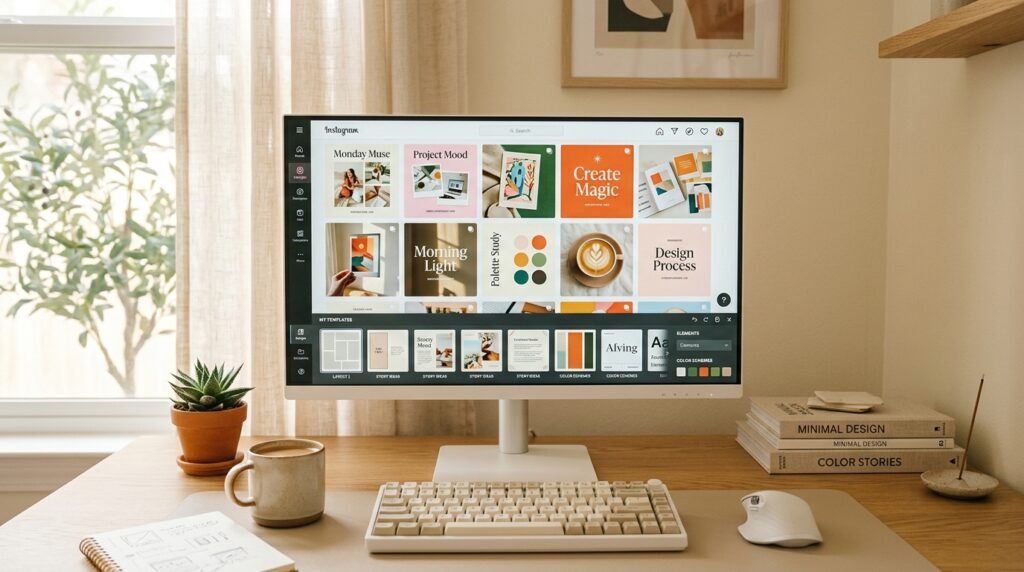
For Instagram content creation specifically, Canva AI is the most practical and complete tool available and it is not particularly close. The reason is simple: Instagram content is rarely just a raw AI-generated image. It needs brand elements, text overlays, hashtag graphics, Story frames, highlight covers, and consistent visual identity across every post. Canva provides all of that in one seamlessly integrated platform.
The Dream Lab image generator produces solid quality images not the absolute highest quality ceiling of tools like Midjourney or Adobe Firefly, but genuinely good results across all Instagram content categories. More importantly, those generated images immediately drop into Canva’s massive library of Instagram-specific templates, where you can add branded text, logos, color overlays, and design elements in minutes.
The complete Canva Instagram workflow starts with selecting an Instagram post template in your preferred format. You use Dream Lab to generate a background image that matches your content theme, apply your brand colors and fonts using the Brand Kit feature, add your caption or quote text using Canva’s typography tools, resize to Story format in one click using Magic Resize, and export directly to Instagram through Canva’s built-in social media publishing feature. This entire process takes under fifteen minutes even for complete beginners.
Best Instagram content types include feed posts with text overlays, branded quotes, product announcements, event graphics, Story sequences, highlight covers, and Reels cover frames.
Adobe Firefly + Adobe Express Rating 4.7 out of 5
For Instagram accounts where brand consistency and commercial image safety are non-negotiable established businesses, professional influencers with brand deals, and agencies managing multiple client accounts the Adobe combination is the professional standard that serious creators rely on.
Firefly’s commercially licensed training data means every image is safe to use in sponsored content, brand partnerships, and monetized posts without copyright concerns. This matters enormously for professional Instagram creators whose content has legal and contractual implications with brand partners.
Adobe Express provides Instagram-specific templates with professional design quality that matches high-end agency work. The Brand Kit feature ensures perfect color, font, and logo consistency across every single post creating a feed that looks deliberately designed rather than randomly assembled.
Best Instagram content types include branded business content, sponsored posts, product photography mockups, editorial lifestyle content, and luxury brand aesthetics.
Microsoft Designer Rating 4.6 out of 5
Microsoft Designer is genuinely remarkable for what it delivers completely free. The combination of DALL·E 3 image generation one of the world’s best AI image models with Instagram-specific templates, AI-generated caption suggestions, and direct social media sizing creates a complete Instagram content tool that costs absolutely nothing.
The AI caption feature deserves special mention. When you generate an image, Microsoft Designer also suggests caption text for your Instagram post saving additional time in the content creation workflow. For creators who struggle with writing engaging captions as much as creating visual content, this is a genuinely valuable bonus that no other free tool currently offers.
Best Instagram content types include feed posts, Stories, quote graphics, product images, lifestyle content, and promotional graphics for events and sales.
Leonardo AI Rating 4.5 out of 5
Leonardo AI’s value for Instagram specifically comes from its ability to help creators develop a truly distinctive visual identity that audiences immediately recognize and remember. In a platform flooded with generic AI-generated content, the creators who stand out are the ones with a recognizable, consistent aesthetic.
Leonardo’s specialized artistic models each trained for different styles including dark fantasy, soft botanical illustration, cyberpunk neon, vintage americana, and dozens more allow creators to select one model and generate consistently styled images that form a cohesive, instantly recognizable Instagram feed. Combined with the most generous free plan of any quality AI tool at one hundred fifty daily tokens, Leonardo is the best choice for creators building a niche artistic identity on Instagram.
Best Instagram content types include niche artistic feeds, fantasy and sci-fi content, aesthetic mood boards, illustrated educational carousels, and unique brand identity building.
Ideogram AI Rating 4.4 out of 5
Quote posts and motivational content consistently generate the highest save rates on Instagram and saves are the metric the algorithm rewards most heavily for content discovery. Ideogram AI is the only free tool that generates these types of images properly, with accurate readable text beautifully integrated into the visual composition rather than garbled nonsense that other tools produce.
Creating a motivational quote post in Ideogram takes about two minutes. You describe the background image you want, include the exact quote text in your prompt, specify the font style and mood you prefer, and Ideogram generates a finished post-ready image with the text correctly placed and perfectly readable. This capability alone makes Ideogram an essential tool in any Instagram creator’s toolkit, regardless of which other tool serves as their primary generator.
Best Instagram content types include quote posts, motivational content, announcement graphics, sale promotions, product feature highlights, and educational carousel intro slides.
Section 4 Pros and Cons for Instagram Use
Canva AI
Starting with the advantages, Canva offers a complete end-to-end Instagram workflow in a single app, a massive Instagram-specific template library with thousands of professionally designed layouts, a Brand Kit feature for perfect visual consistency across every post, direct publishing to Instagram without needing any third-party tools, one-click Magic Resize for instant format switching between feed, Stories, and Reels, an excellent mobile app that matches the desktop experience, and AI caption suggestions that save time on copywriting.
On the limitations side, the raw image generation quality does not reach the heights of Midjourney or Adobe Firefly in terms of pure artistic sophistication. The free plan has restricted monthly AI generations that serious creators will exhaust quickly. The best features require the fifteen-dollar monthly Pro plan. And generated images without additional design customization can sometimes look similar to other Canva users’ content.
Adobe Firefly
The strengths for Instagram include being commercially safe for all sponsored and monetized content the most important advantage for professional creators, excellent integration with Adobe Express for professional-grade design, a Brand Kit system for iron-clad visual consistency, particularly strong performance for product photography and lifestyle imagery, and the Generative Fill feature for creative post-generation editing that adds significant creative flexibility.
The limitations include only twenty-five free credits per month which runs out very quickly for daily posting schedules, requiring an Adobe account to access even the free tier, the full workflow requiring familiarity with Adobe Express which has a modest learning curve, and needing a paid plan for anyone posting more than a handful of images per month.
Microsoft Designer
The Instagram strengths are significant completely free with generous daily limits that casual and moderate creators will rarely exhaust, DALL·E 3 image quality at absolutely zero cost, Instagram templates included in the base free tool, AI caption suggestions that no other free tool offers, direct social media sizing built into the generation interface, and zero learning curve making it perfect for creators just starting with AI image tools.
The limitations include less brand customization depth compared to Canva Pro, limited direct Instagram publishing compared to Canva’s full scheduling integration, fewer advanced design features for creators with sophisticated visual requirements, and results that can occasionally feel slightly generic without strong prompting skills.
Leonardo AI
For Instagram, Leonardo’s strengths include having the most generous free plan of any quality tool at approximately thirty to fifty images per day, being the best option for developing a genuinely unique visual identity through model selection, offering a wide artistic model variety covering virtually every aesthetic niche, being particularly excellent for niche aesthetic accounts building a distinctive following, and providing enough daily tokens to batch-create an entire week of Instagram content in a single session.
The limitations include having no built-in Instagram templates requiring manual sizing for different formats, no direct Instagram publishing integration, a learning curve involved in selecting and understanding different models, and less practical value for creators whose content is primarily informational or product-focused rather than artistic.
Ideogram AI
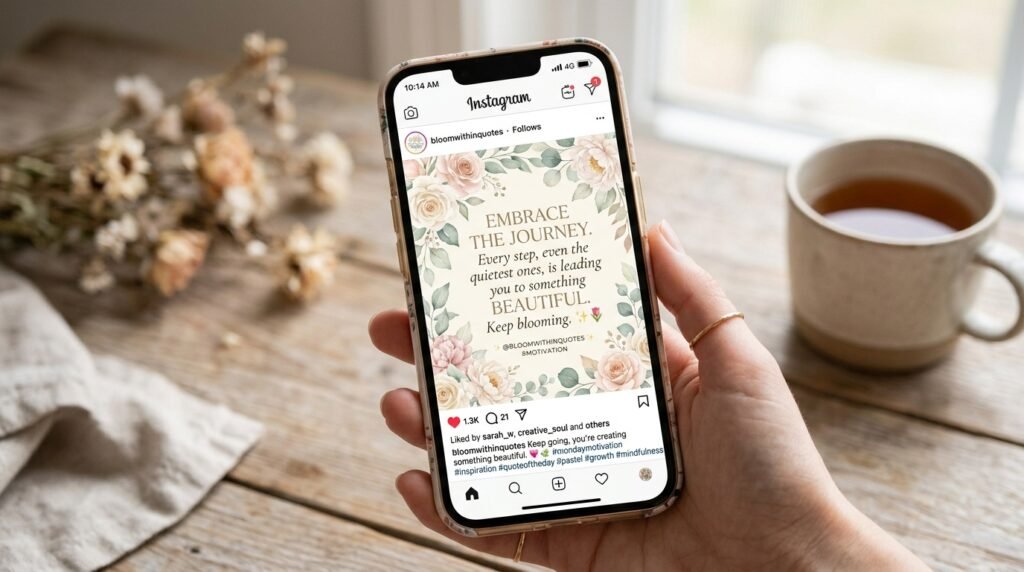
The Instagram-specific strengths are the best text-in-image capability of any free AI tool making it essential for quote content, accurate readable text in images which is a completely unique capability among free tools, a simple interface that anyone can learn in under five minutes, and images that are immediately post-ready for quote and announcement content without additional design work.
The limitations include only ten free images per day which is restrictive for creators who rely heavily on quote content, less powerful performance for purely photographic or lifestyle content without text elements, no design templates or Instagram-specific workflow integration, and less versatility compared to multi-purpose tools for creators who need varied content types.
Midjourney
Instagram strengths include the highest overall image quality and artistic sophistication of any tool available at any price, the most visually impressive results for premium brand aesthetics, being the best choice for luxury, fashion, and editorial Instagram accounts where quality is everything, and producing a distinctive visual identity that immediately communicates premium brand positioning.
The limitations are significant no free plan at a minimum of ten dollars per month, a Discord interface that is not optimized for efficient Instagram workflow, no direct Instagram templates or publishing integration, manual resizing required for different Instagram formats, and images being publicly visible by default on the basic plan which creates privacy concerns for brands in pre-launch or confidential campaign development.
Section 5 Instagram Content Strategy with AI Images
Building a Consistent Instagram Feed with AI
The biggest mistake Instagram creators make with AI image generators is using them randomly generating whatever looks interesting in the moment without a strategic visual plan. Accounts that grow consistently use AI tools with deliberate strategy and systematic processes.
Step One Define Your Visual Identity
Before generating a single image, decide on your Instagram aesthetic with specificity. Choose a color palette of three to five colors that will appear consistently across all your posts. Choose one or two dominant art styles photorealistic lifestyle, illustrated flat design, dark moody editorial, bright and airy minimal, or any other cohesive direction. Choose a consistent subject matter focus. Write all of these decisions down as your visual brand guide and refer to it every time you generate content.
Step Two Create a Prompt Template
Once you have your visual identity defined, create a standard prompt template that you use as the foundation for every image. This ensures visual consistency across your feed even when generating entirely different types of content. For example, a wellness account might use this consistent template: “[Specific scene description], soft morning light, warm cream and sage green color palette, clean minimal aesthetic, lifestyle photography style, highly detailed, 4:5 portrait format, Instagram ready.” The scene description changes with each post, but every other element stays constant, creating feed cohesion.
Step Three Batch Create Your Content
Instead of generating one image at a time when you need to post, dedicate one focused session per week typically one to two hours on Sunday or Monday to generating all your images for the following week. This batch creation approach produces more visually consistent results and saves significant cumulative time compared to daily individual generation sessions.
Step Four Build in Canva
Take your AI-generated images into Canva to add your brand elements logo, consistent fonts, color overlays, and any text. This design layer on top of the AI-generated base image is what transforms a good AI image into a genuine branded Instagram post that audiences immediately associate with your account.
Step Five Analyze and Iterate
After four weeks of posting AI-generated content, review your Instagram analytics carefully. Which image styles got the most likes, saves, and comments? Which ones drove the most profile visits and follows? Use this performance data to refine your AI generation prompts and focus your creative energy on what your specific audience actually responds to rather than what you personally prefer.
Conclusion
The best AI image generator for Instagram in 2026 depends entirely on what kind of creator you are and what your content strategy requires.
Canva AI is the best overall choice for most Instagram creators due to its complete end-to-end workflow, template library, brand consistency tools, and direct publishing integration. The fifteen-dollar monthly Pro plan pays for itself many times over in time saved for anyone posting regularly.
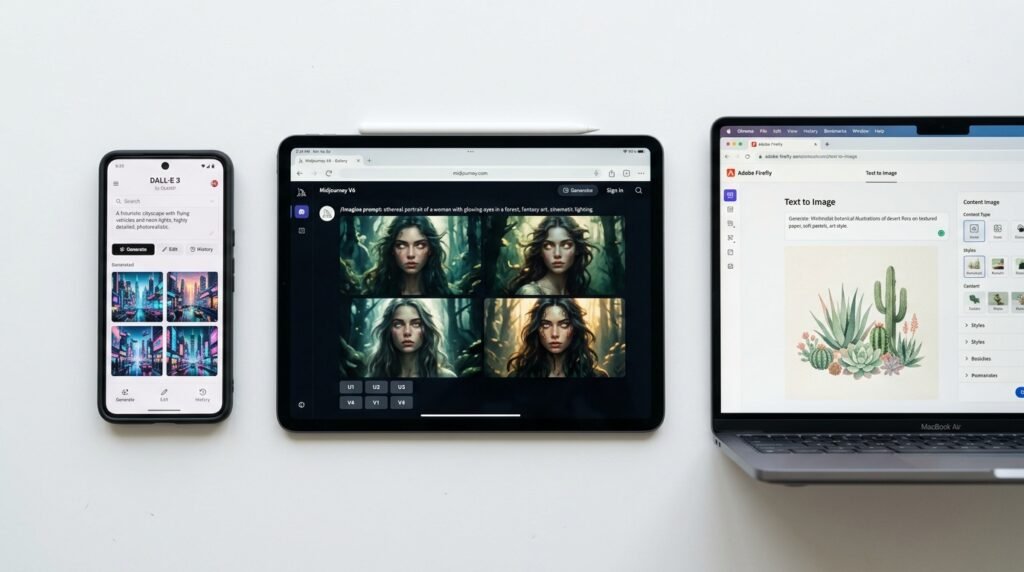
Adobe Firefly with Adobe Express is the best choice for professional creators and businesses where commercial safety, brand consistency, and professional quality are non-negotiable. The commercially licensed image generation is essential for anyone posting sponsored content or managing brand partnerships.
Microsoft Designer is the best completely free option delivering DALL·E 3 quality with Instagram-specific templates, AI caption suggestions, and zero cost, making it the ideal starting point for creators who are new to AI image generation.
Leonardo AI is the best choice for creators building a distinctive niche aesthetic the generous free plan and wide model variety make it perfect for standing out in a visually crowded platform.
Ideogram AI is essential for any creator whose content strategy includes quote posts, motivational content, or any image with specific text embedded in the visual.
And Midjourney, despite its cost and Discord-based workflow, remains the best tool for premium creators where extraordinary image quality directly translates to brand value and business results.
The most successful Instagram creators in 2026 are not choosing just one tool they are combining them strategically. Leonardo AI or Midjourney for hero images, Ideogram for quote content, and Canva to assemble everything into polished branded posts ready to publish and schedule. This multi-tool approach delivers the best of every platform while keeping total costs manageable.
Start with the free tiers on Canva AI and Microsoft Designer this week. Generate ten images for your next batch of Instagram posts. See how your audience responds. Then refine your approach based on what actually performs. The era of AI-powered Instagram content creation is here and the creators who embrace these tools now will have a significant advantage over those who hesitate.
Frequently Asked Questions
What is the best AI image generator for Instagram in 2026?
Canva AI is the best overall choice for most Instagram creators due to its complete workflow integration and template library. For the highest image quality, Midjourney is unmatched. For a completely free solution with excellent quality, Microsoft Designer delivers DALL·E 3 results at zero cost.
Can I use AI-generated images for Instagram monetization and brand deals?
Yes, but use Adobe Firefly for sponsored content and brand partnerships specifically. Its commercially licensed training data and explicit commercial use rights make it the safest option for monetized Instagram content. Always disclose AI-generated content per FTC guidelines for sponsored posts in the USA.
What image size should I generate for Instagram posts?
For feed posts, generate at 4:5 portrait ratio at 1080 by 1350 pixels for maximum screen real estate. For square posts, use 1:1 at 1080 by 1080 pixels. For Stories and Reels covers, generate at 9:16 at 1080 by 1920 pixels. Canva and Microsoft Designer handle these dimensions automatically.
Which AI tool is best for Instagram quote posts?
Ideogram AI is significantly better than all other tools for Instagram quote posts because it generates images with accurately rendered, beautifully styled readable text. Other tools frequently produce garbled or misspelled text that requires complete regeneration and wasted credits.
How many AI images can I generate for free for Instagram?
Leonardo AI gives the most generous free allowance at approximately thirty to fifty images per day. Microsoft Designer and Google ImageFX also have generous free limits. Canva AI and Adobe Firefly have more restricted monthly free allowances. Midjourney has no free plan at all.
Is it against Instagram’s rules to post AI-generated images?
Instagram does not prohibit AI-generated content in 2026, but requires disclosure of AI-generated images in certain contexts particularly for realistic images that could be mistaken for photographs of real people or events. Always follow Meta’s evolving AI content policies and add appropriate disclosure when required.
Which tool creates the best Instagram Reels covers with AI?
Canva AI is best for Reels covers because it automatically generates in 9:16 format and includes Reels-specific templates with text and graphic elements already positioned correctly. Microsoft Designer also handles Reels cover sizing very well within its template system.
Can I schedule AI-generated Instagram posts directly from these tools?
Canva Pro allows direct scheduling and publishing to Instagram from within the platform. Adobe Express also has publishing features built in. For free scheduling, generate your images in any AI tool and then use Buffer or Later’s free plans to schedule and publish to Instagram on your preferred calendar.
How do I make my AI-generated Instagram images look less generic?
The key is specificity in your prompts and consistency in your chosen style. Add very specific details to every prompt exact colors, specific lighting conditions, precise moods, and detailed scene descriptions. Choose one model in Leonardo AI and stick with it for all your posts to build visual consistency. Use Canva to add brand-consistent overlays. And always apply your established brand color palette to maintain visual identity across your entire feed.
Which AI image generator has the best mobile app for Instagram creators?
Canva has the best mobile app for Instagram creators the mobile experience is nearly identical to the desktop version, with full access to AI generation, templates, brand kit, and direct Instagram publishing. Adobe Express mobile is a strong second. Microsoft Designer’s mobile app is also solid for basic creation and generation tasks.